Tidy
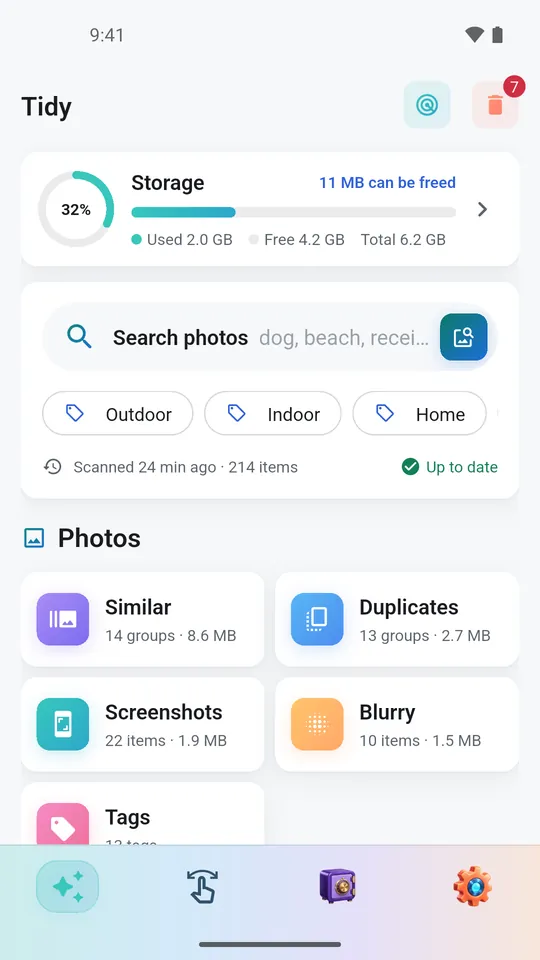
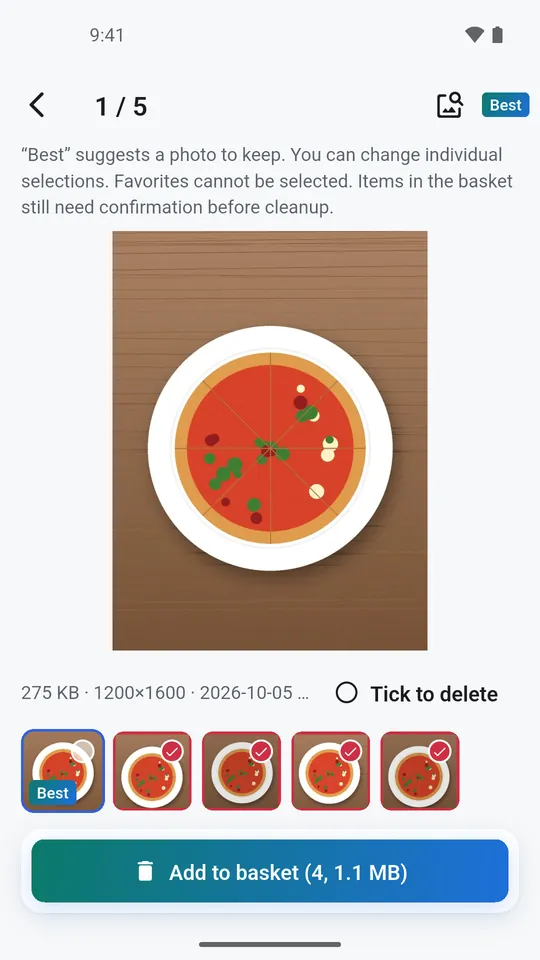
Similar and duplicate photos, screenshots, large videos and similar videos, with a suggested keeper in every group of duplicate or similar photos.
 CleanVault · Android
A photo cleaner that helps you free up storage. It finds duplicate photos, similar shots, screenshots and large videos, lets you swipe through your gallery, and keeps private photos in a PIN-locked private space.
Android · Coming soon to Google Play
CleanVault
Similar and duplicate photos, screenshots, large videos and similar videos, with a suggested keeper in every group of duplicate or similar photos.
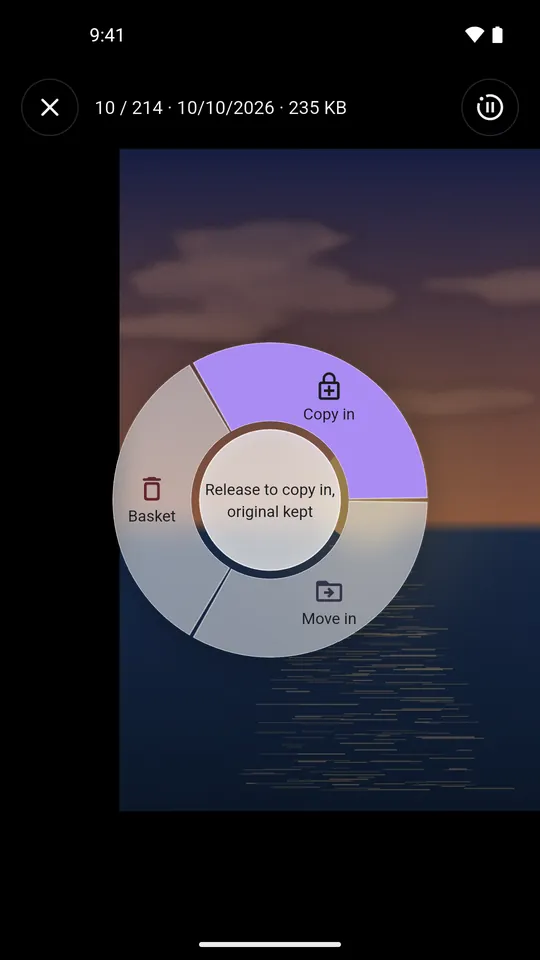
Every photo and video in one grid. Drag left to the basket, right to hide, and undo your last steps.
Encrypted on your phone, opened with a 4-digit PIN or your fingerprint. Forgot the PIN? A recovery code gets you back in.
See how much space each app takes and which apps you have not opened for a month or more, then uninstall through the system’s own confirmation.
Tidy
Scan your library in the Tidy tab. A storage ring shows what is used, what is free and how much you could free up. Open a category, check the suggestions and add what you don’t need to the delete basket.
Swipe
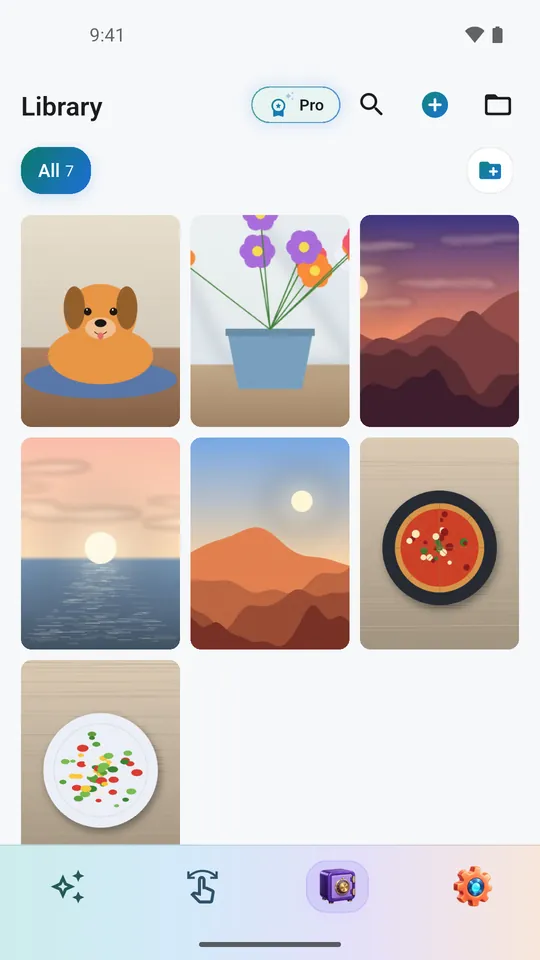
Every photo and video in one grid or list, with filters, albums, sorting and a month scrubber. Tap for a full-screen viewer that plays videos as you scroll.
Private space
Hide photos and videos in a private gallery, encrypted on your phone and opened with a 4-digit PIN or your fingerprint. Each import is read back and checked before the original can be deleted.
The basket
Confirm once in the basket. Where your phone has a system trash (Android 11 and later), items go there first and can still be restored.
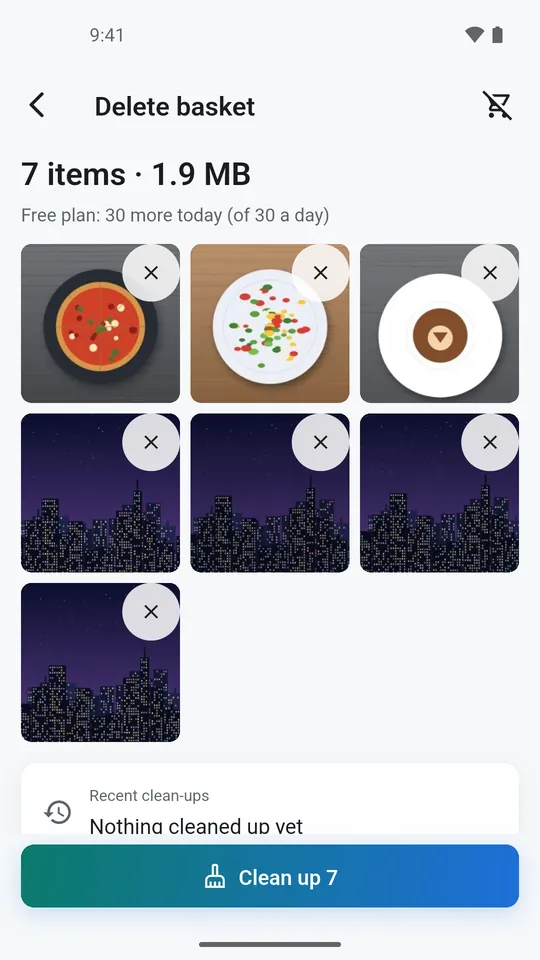
Actual app screens with demo content.
Privacy
No account and no analytics of our own. Ads appear only in Swipe and after a clean-up, never next to your hidden photos. Photos are scanned on your phone and never uploaded. We have no servers. The app goes online for store purchases and ads, which are not personalized. Google’s billing, ad and QR scanner components send diagnostic information to Google. Sync stays on your local network.
Free and Pro
Scanning and every result. Ads appear only in Swipe and after a clean-up.
A yearly subscription or a one-time lifetime purchase.
Prices are shown in Google Play at checkout. The yearly subscription renews each year until you cancel it in Google Play under Payments & subscriptions; Pro stays on until the end of the period you paid for. There is no weekly plan.
Android · Google Play
CleanVault for Android is getting ready for Google Play. The download link will appear here on the day it is available.