SmartSudio

PDF Vault · Android · iOS · Windows
Scan, fix and convert PDFs. Keep the private ones locked.

A PDF toolbox that works on your device and never uploads a file, with an encrypted vault for the documents that matter.

On Android today. iPhone, iPad and Windows: coming soon.

PDF Vault on a phone: the tools page with Scan, Compress, Sign, Merge, Convert and OCR, and recent files below
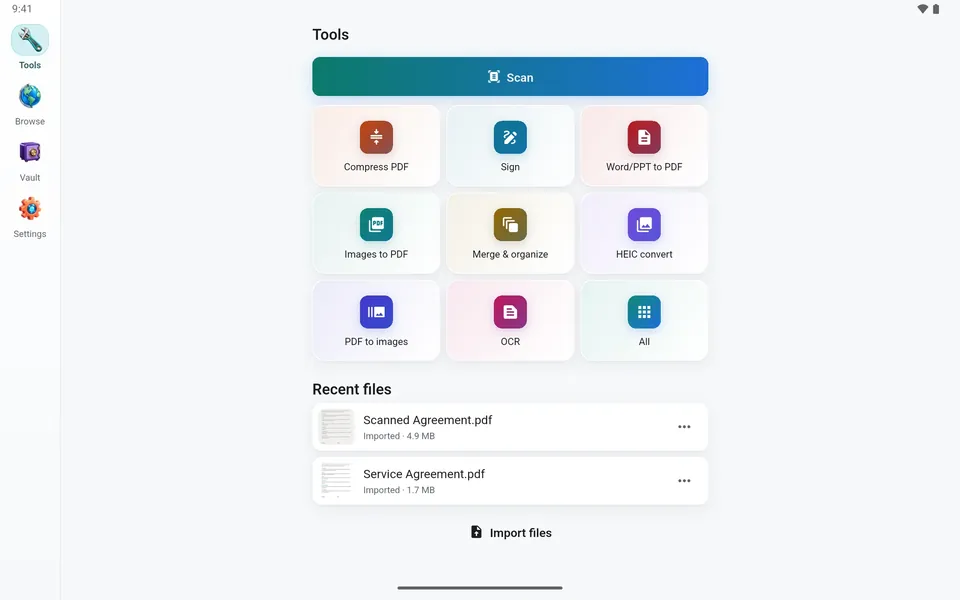
PDF Vault on a tablet: the tools page with a side rail

What it does

A toolbox, and a safe.

Tools

The things people do with a PDF, on one page.

Scan, compress, sign, merge, convert, recognise text. Put the tools you use first; the rest are one tap away.

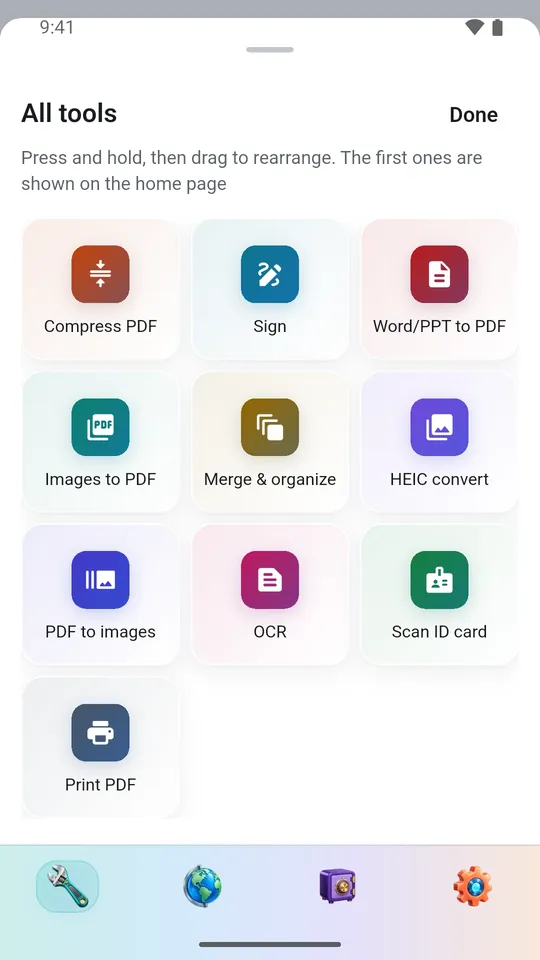
  • Scan: finds the page’s edges, straightens it, several pages into one PDF
  • Merge and organise: combine files, reorder, rotate, delete and split pages
  • Convert: pictures to PDF and back, HEIC photos, Word and PowerPoint to PDF
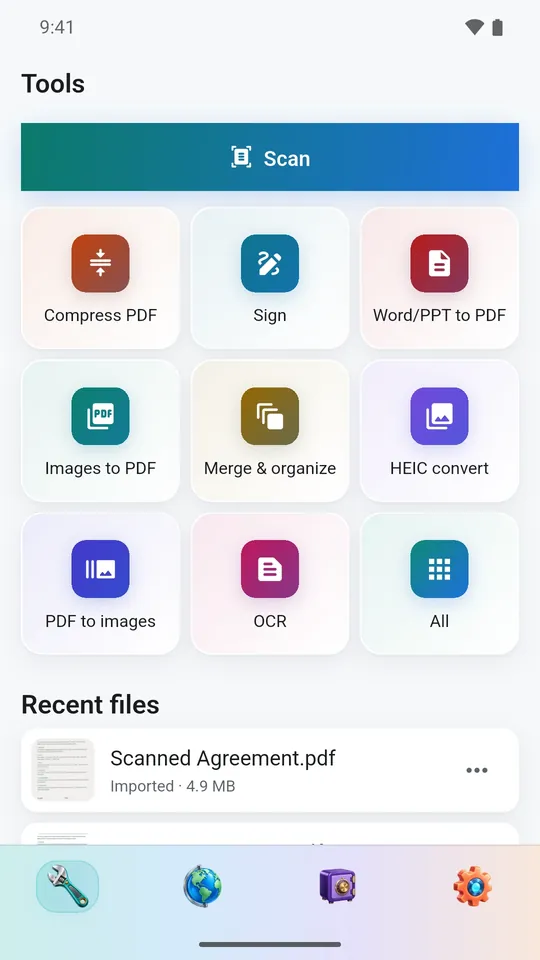
PDF Vault on a phone: the tools page with Scan, Compress, Sign, Merge, Convert and OCR, and recent files below
PDF Vault on a phone: every tool on one sheet, ready to be rearranged

Compress

Under the size the form asks for.

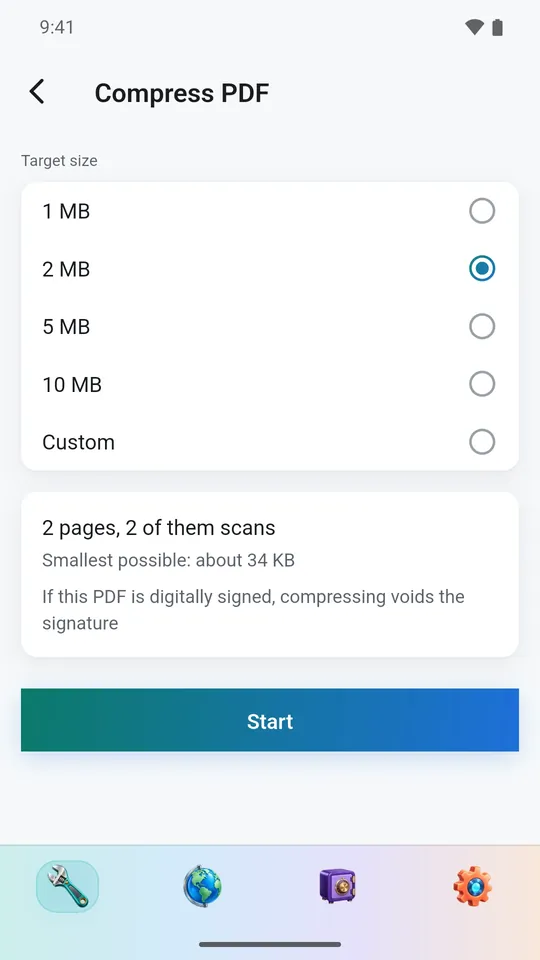
Make a PDF smaller, or name the size it has to fit: the app tells you how small this file can go before you start.

  • Pick 1, 2, 5 or 10 MB, or type your own
  • Warns when compressing would void a digital signature
  • Done on the device; the file is not uploaded
PDF Vault on a phone: compressing a PDF to a target size of 2 MB

Sign and read

Sign it where the line is.

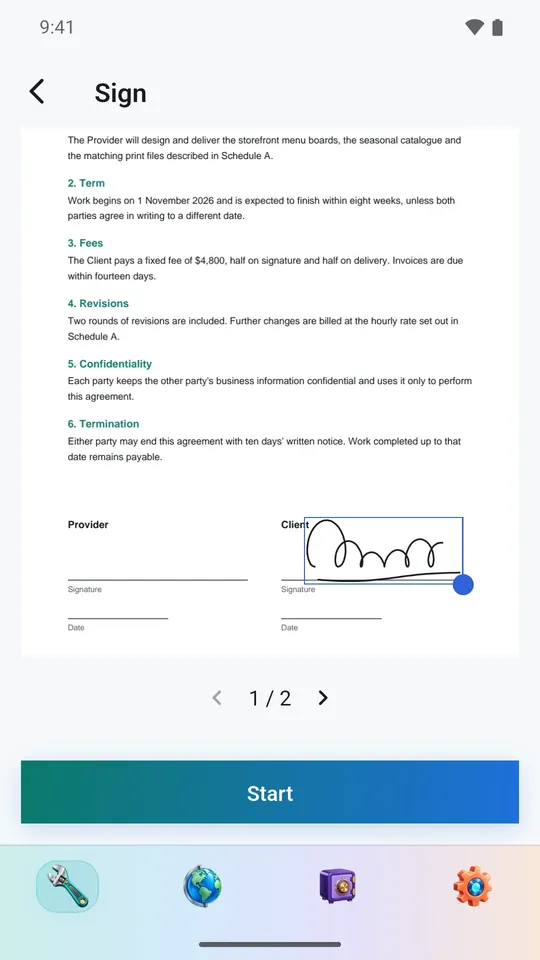
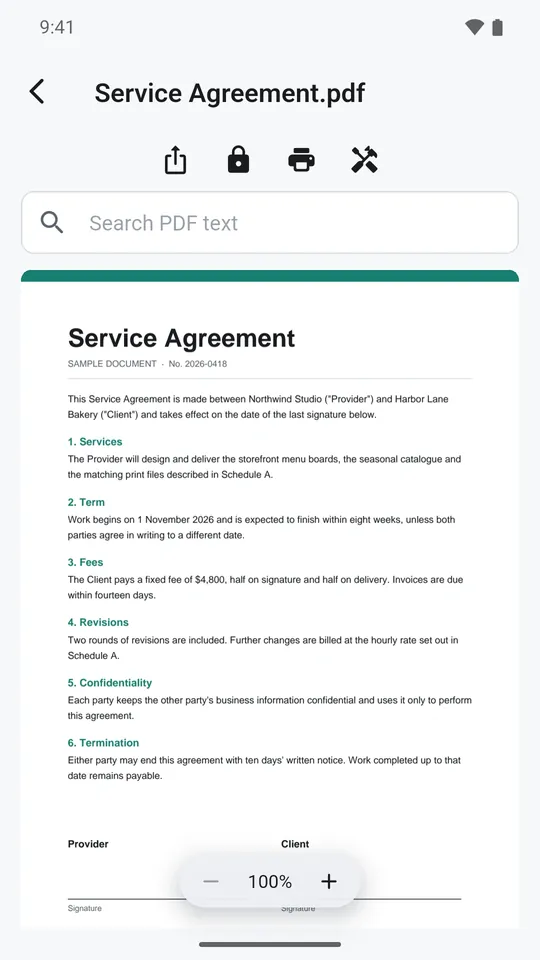
Draw your signature once, then place and size it on any page. The reader searches the text of a PDF, and shares, locks or prints it from the same screen.

  • Place the signature by dragging
  • Search inside the document
  • Recognise text: a scan becomes a PDF you can search and copy from
PDF Vault on a phone: a handwritten signature being placed on a contract
PDF Vault on a phone: reading a PDF, with search, share, lock and print

Vault

Keep the private ones locked.

Lock a finished document away behind a PIN. It is encrypted on the device and opens only for you. A browser inside the app saves a PDF or a picture from the web straight into it.

  • Albums to sort what you keep
  • PDF, Word and PowerPoint files side by side
  • No account and no server
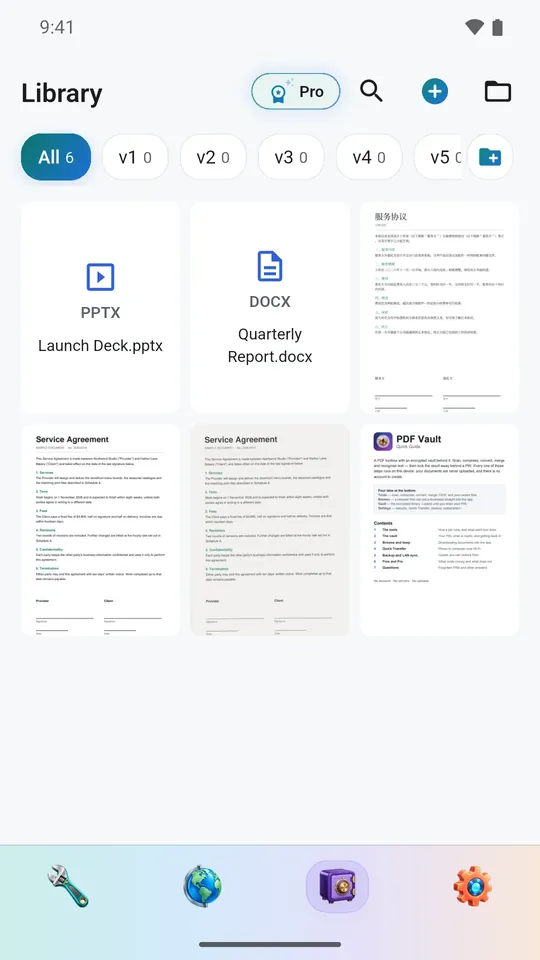
PDF Vault on a phone: the vault library with documents in albums

Privacy, in short

Your documents stay yours.

Nothing is uploaded

Every tool runs on your device. There is no account and no server.

A vault behind a PIN

What you lock away is encrypted on the device and opens only for you.

Ads, plainly

The free version shows ads from Google AdMob, never inside the vault or a document. Pro removes them.

Read the full privacy policy

Free and Pro

Most of it is free.

Free

The toolbox, with ads.

  • Scanner, conversion and page tools
  • Signing and printing
  • The browser
  • A vault for up to 20 files
  • Ads, never inside the vault or a document

Pro

A yearly subscription or a one-time lifetime purchase.

  • No ads
  • Text recognition (OCR)
  • Compressing to a size you choose
  • An unlimited vault

Prices are shown by the store before you buy. Where the store offers it, a first-time yearly subscriber gets a 3-day free trial. Billing, renewal, cancelling and refunds are handled by the store you bought from.

Platforms

On Android now. More to come.

The iPhone, iPad and Windows versions are on their way to their stores. This page will carry the links when they are live.

Android

Google Play

Available nowGet it on Google Play

iPhone · iPad

App Store

Coming soon

Windows

Microsoft Store

Coming soon